Build the path. Plan the exceptions.
Qualification, actions and human handoff — connected in one visual workflow.
Goal · context · next action
ACEVERSE / SELF-HOSTED VOICE AGENTS
Your voice agents. Your infrastructure. Our implementation.
Turn your process into voice agents. We deploy, configure and connect the systems your team needs.

Product screenshots use demonstration data.
DESIGNED AROUND THE CONVERSATION
Qualification, actions and human handoff — connected in one visual workflow.
Goal · context · next action
API providers or compatible self-hosted endpoints.
Keep contacts, schedules and agent logic organized by business goal.
Explore campaignsMove from a run to its transcript, recording and next steps for the team.
Review agent runsSupported providers and SIP, with routing and compatibility checked first.
Explore telephonyCapability illustrations above. Explore the original interface in the walkthrough below.
YOUR MODEL STACK
Choose recognition, reasoning and voice independently. Build the combination your process needs.
Explore model configurationSpeech into text
Reasoning & responses
Text into voice
Your provider accounts & keys
Separate STT, LLM and TTS APIs. External providers receive the data sent to them; accounts and usage are managed with your keys.
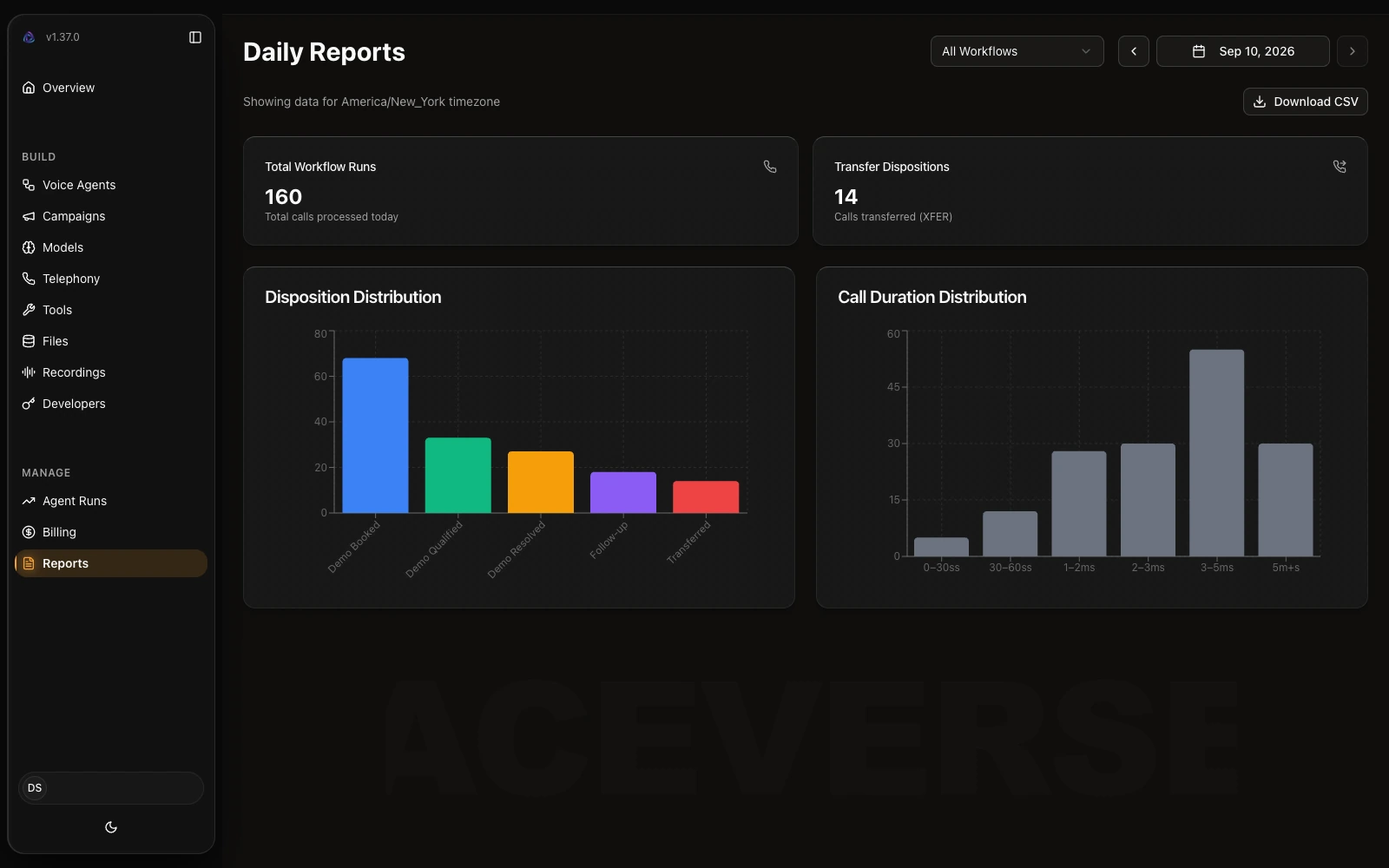
Review activity, durations and outcomes over a selected period. The figures shown here illustrate the dashboard; they are not customer performance results.
Start with the reporting period and read activity alongside outcomes, rather than treating call volume as success. Use the overview to decide which conversations deserve a closer look in Agent Runs. During implementation, we agree which outcomes matter to your process and how your team will interpret them. Demo totals are illustrative, not a forecast for your deployment.

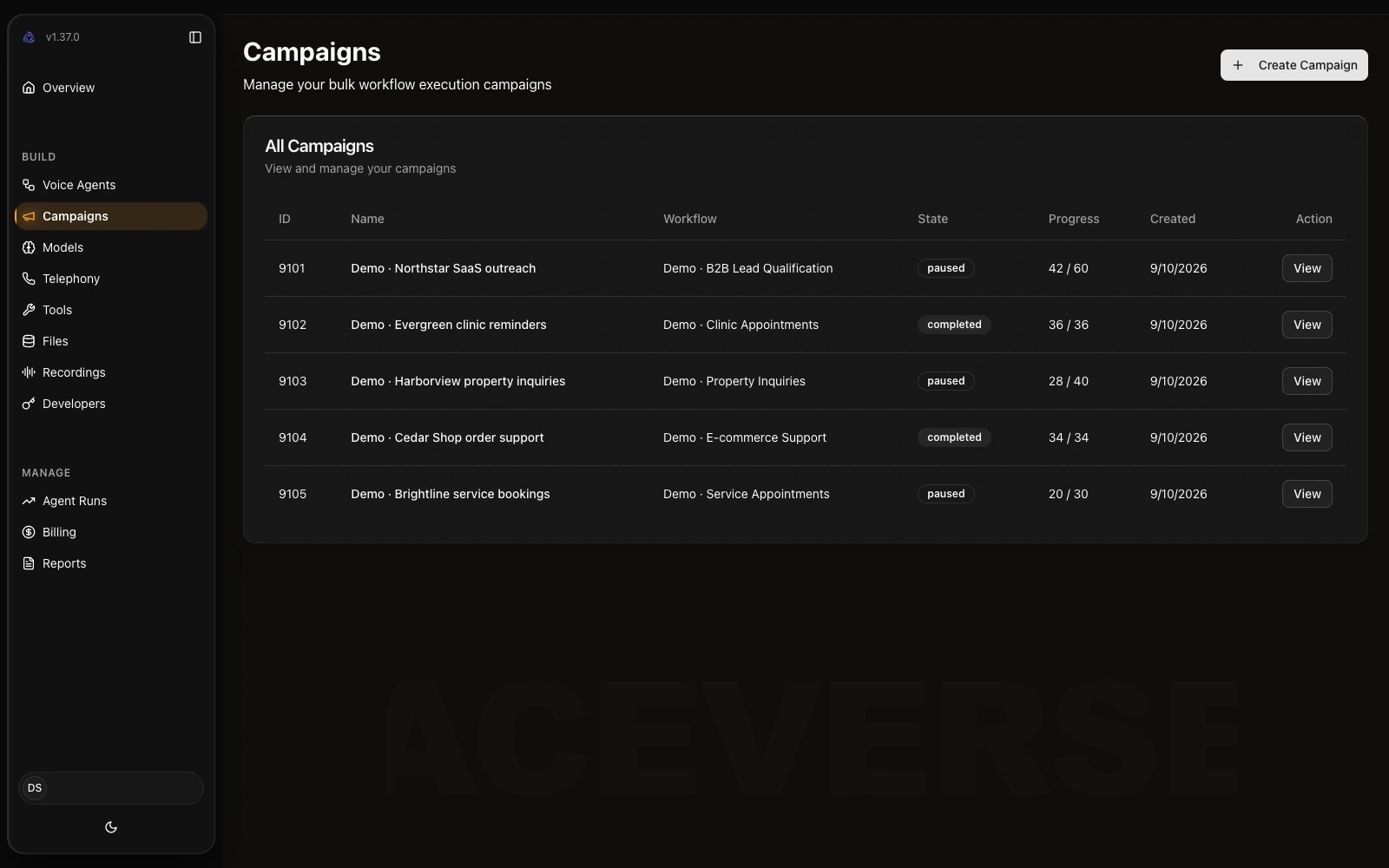
Separate agents, contact lists and schedules by goal: B2B qualification, clinic booking, property enquiries, e-commerce support or service appointments.
Give each campaign a clear purpose before configuring its agent. A booking flow needs different questions and completion rules from lead qualification or an order enquiry. We map the contact source, intended next step and exception path for the selected scenario, so the team can review each initiative without mixing unrelated business goals.

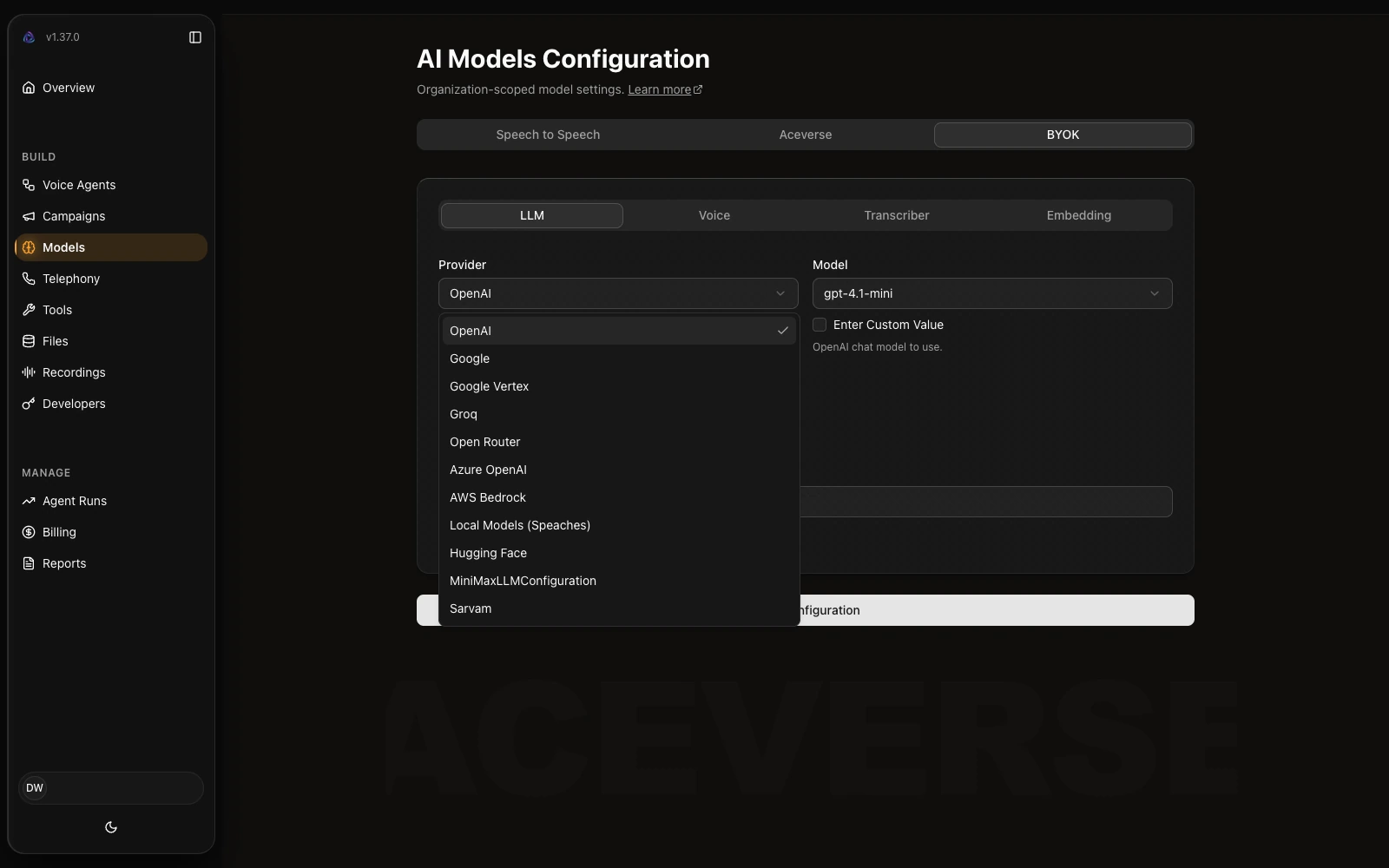
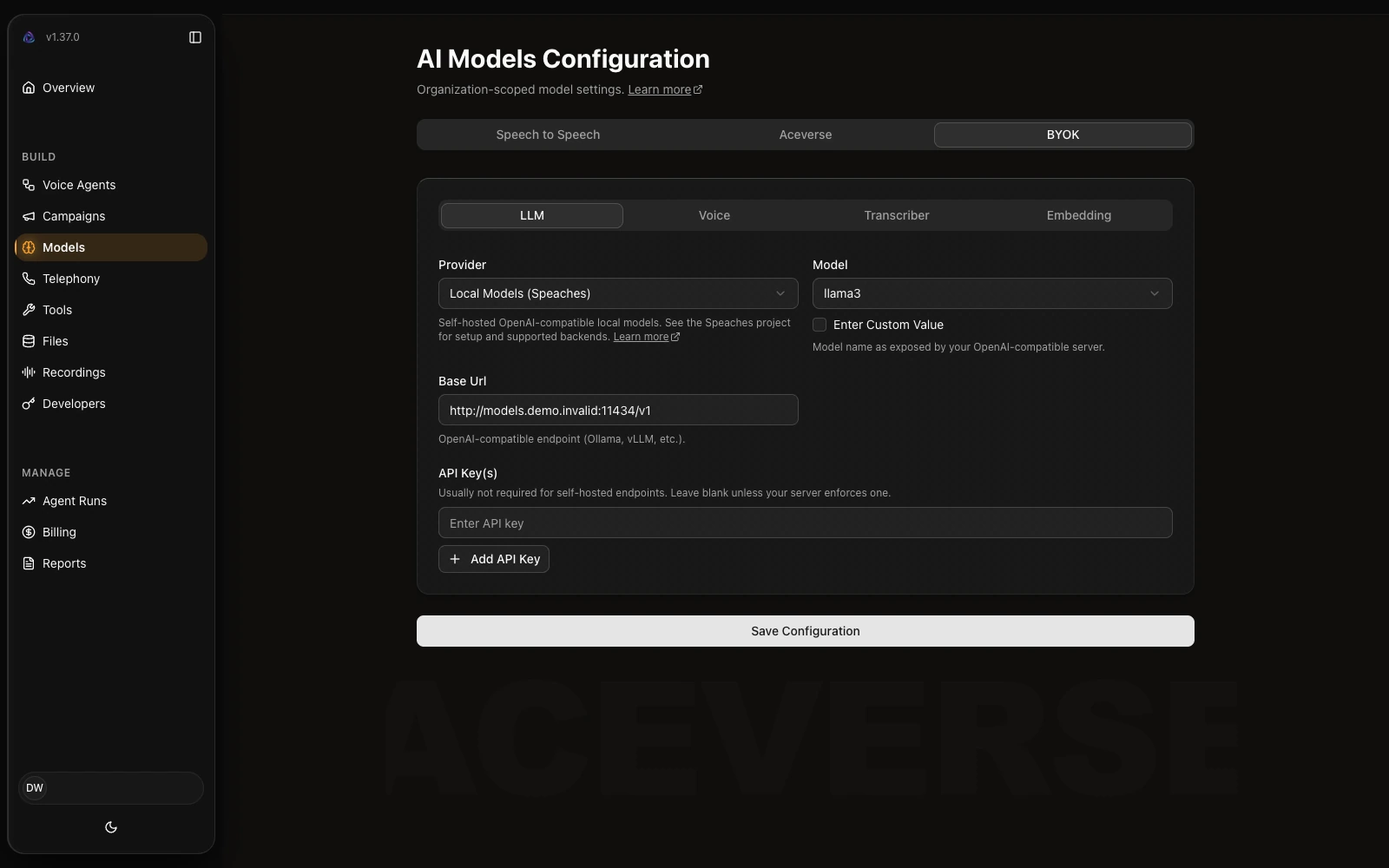
Configure speech recognition, language models and speech generation. Use your own API keys (BYOK) with supported external providers, or compatible self-hosted endpoints. Availability and capacity are checked for the chosen configuration.
Treat speech recognition, reasoning and voice output as separate configuration choices. We review the languages, provider access and infrastructure required for your chosen combination before connecting it. The additional view below shows the self-hosted speech configuration; running the application yourself does not mean every model or data path is local.


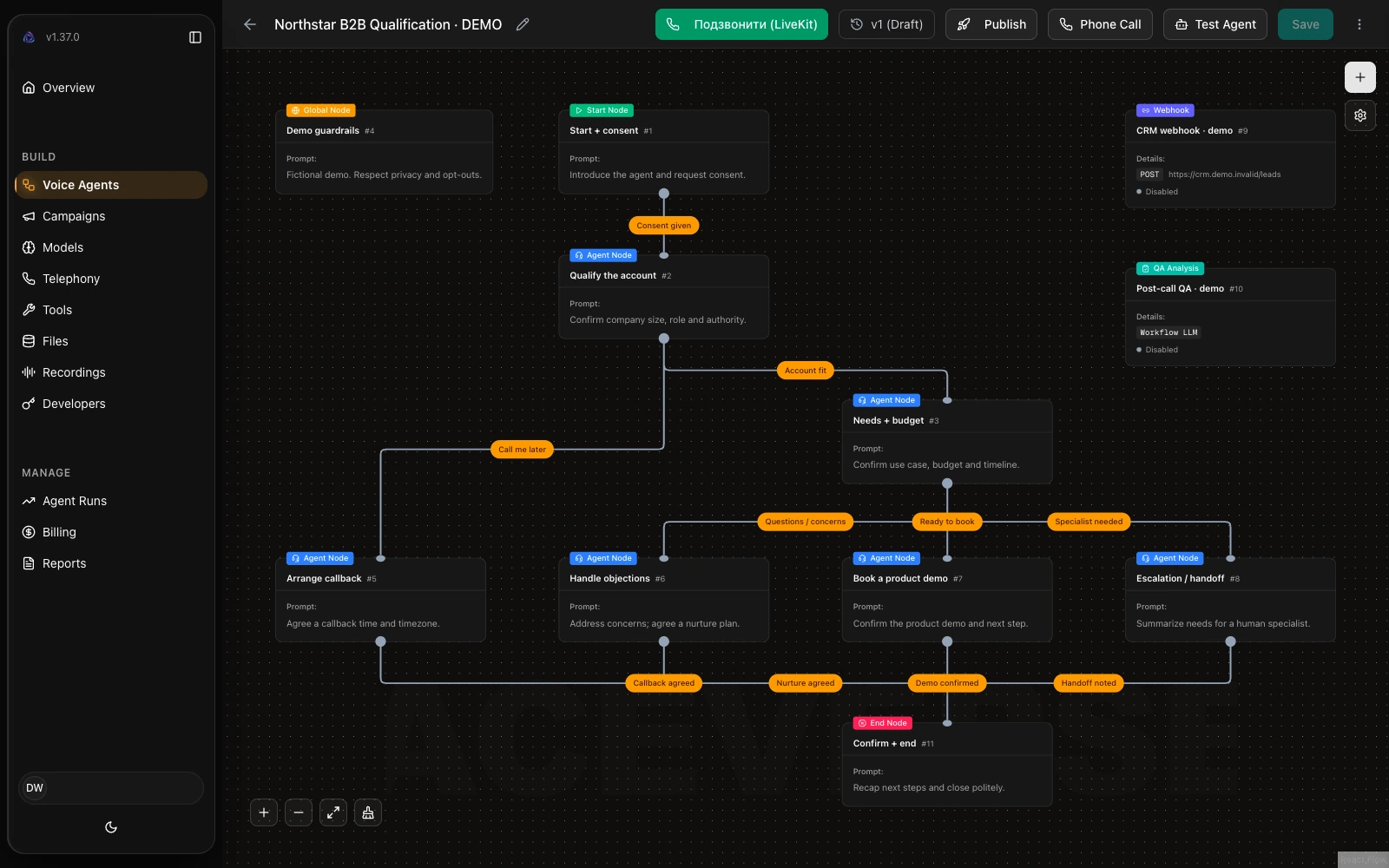
Build connected branches for qualification, the main action, exception handling, human handoff and completion. Integration actions and business rules are configured for the agreed scenario.
Make the route through a conversation explicit: what the agent asks, what information it needs, and what happens if a request cannot be completed. The example graph connects qualification to actions, exceptions and handoff. We use the agreed business rules to define those branches and test both the intended path and cases that need a person.

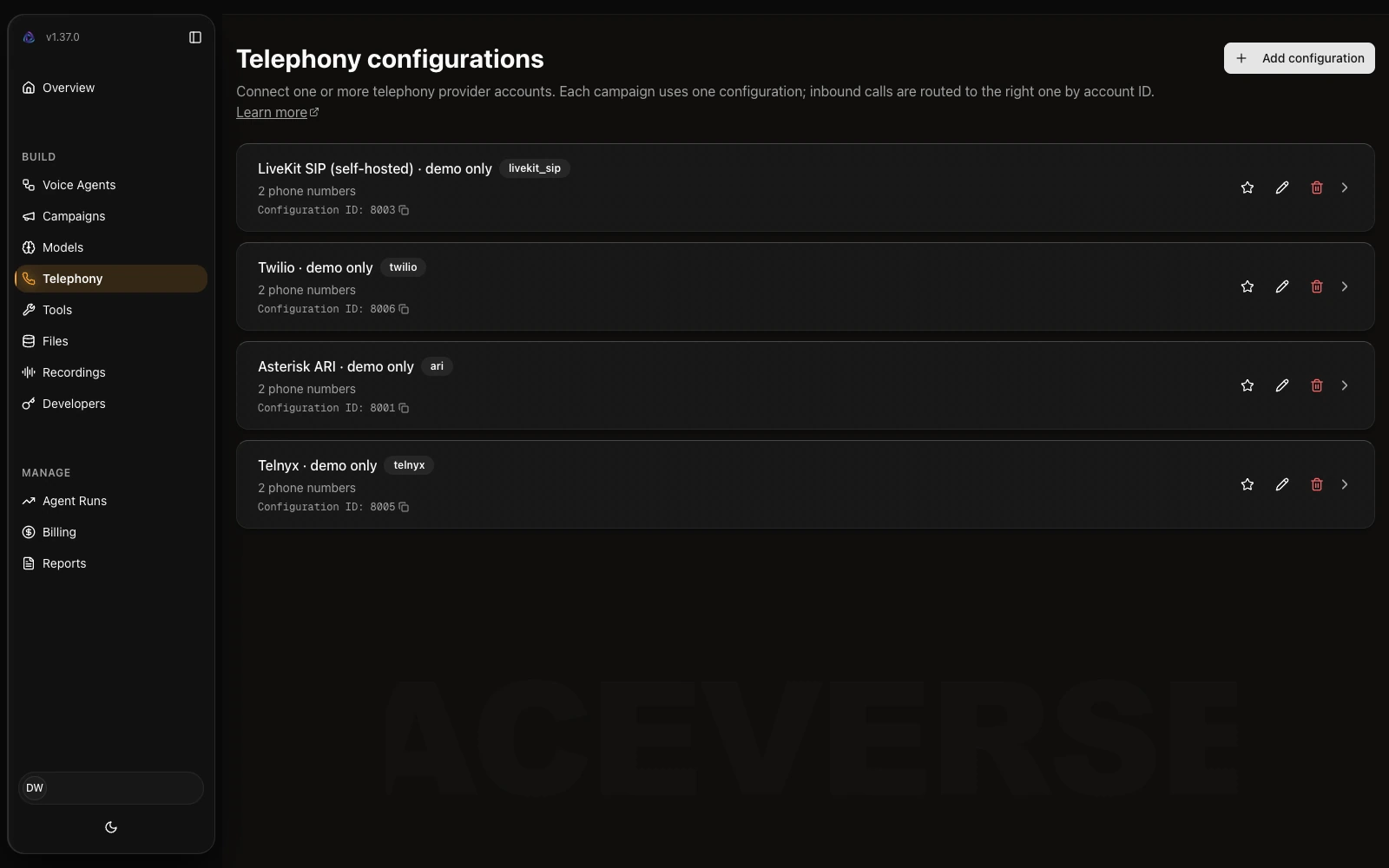
Connect supported telephony providers or a compatible SIP setup. We check your carrier, routing, number requirements and infrastructure during implementation — compatibility with every carrier is not assumed.
Before connecting a number, we establish how calls should enter the agent and where a human handoff should go. Provider connection options, SIP settings and infrastructure constraints are reviewed together. This screen illustrates configured connections without exposing credentials; it is not a promise that an existing carrier can be connected without changes.

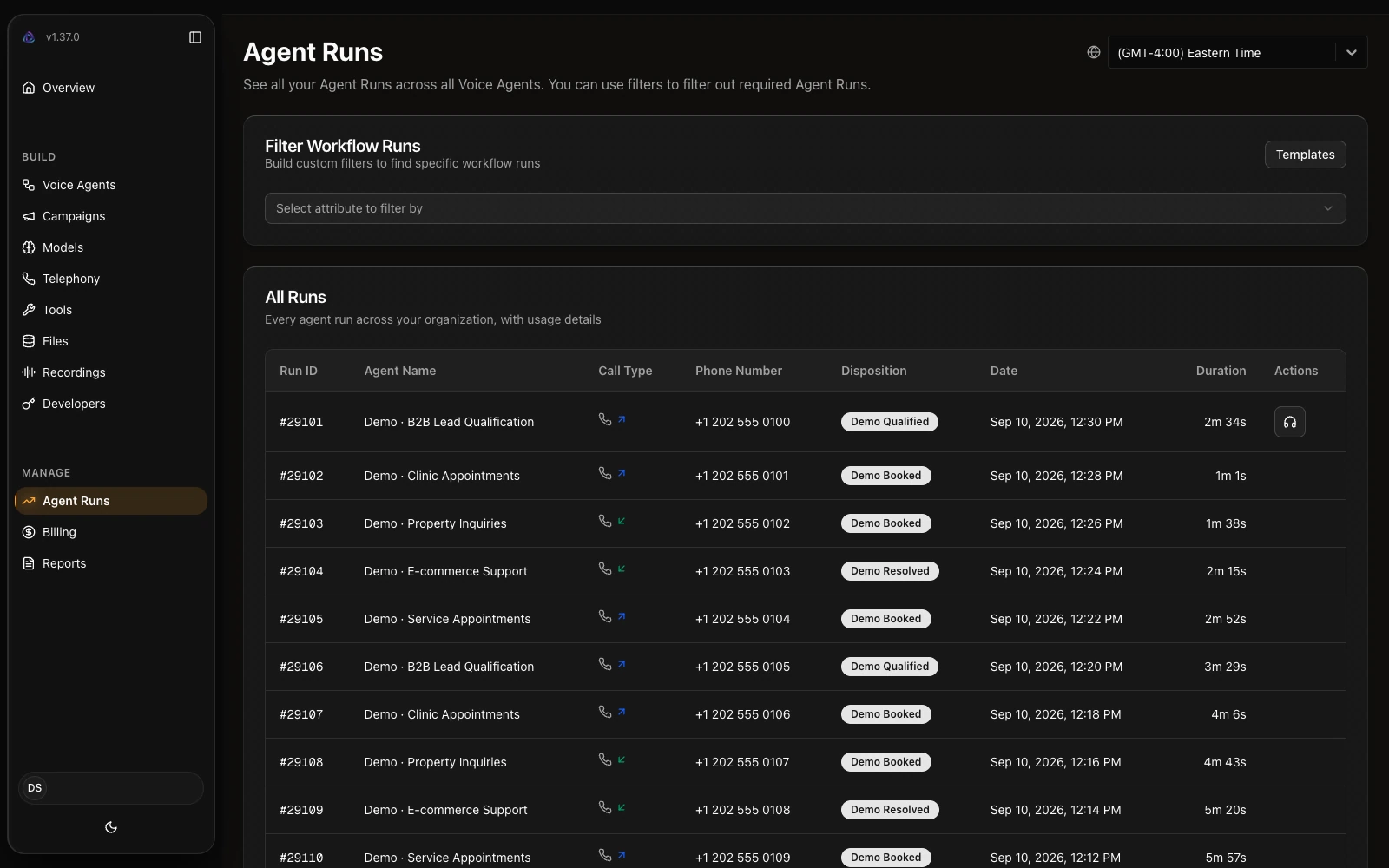
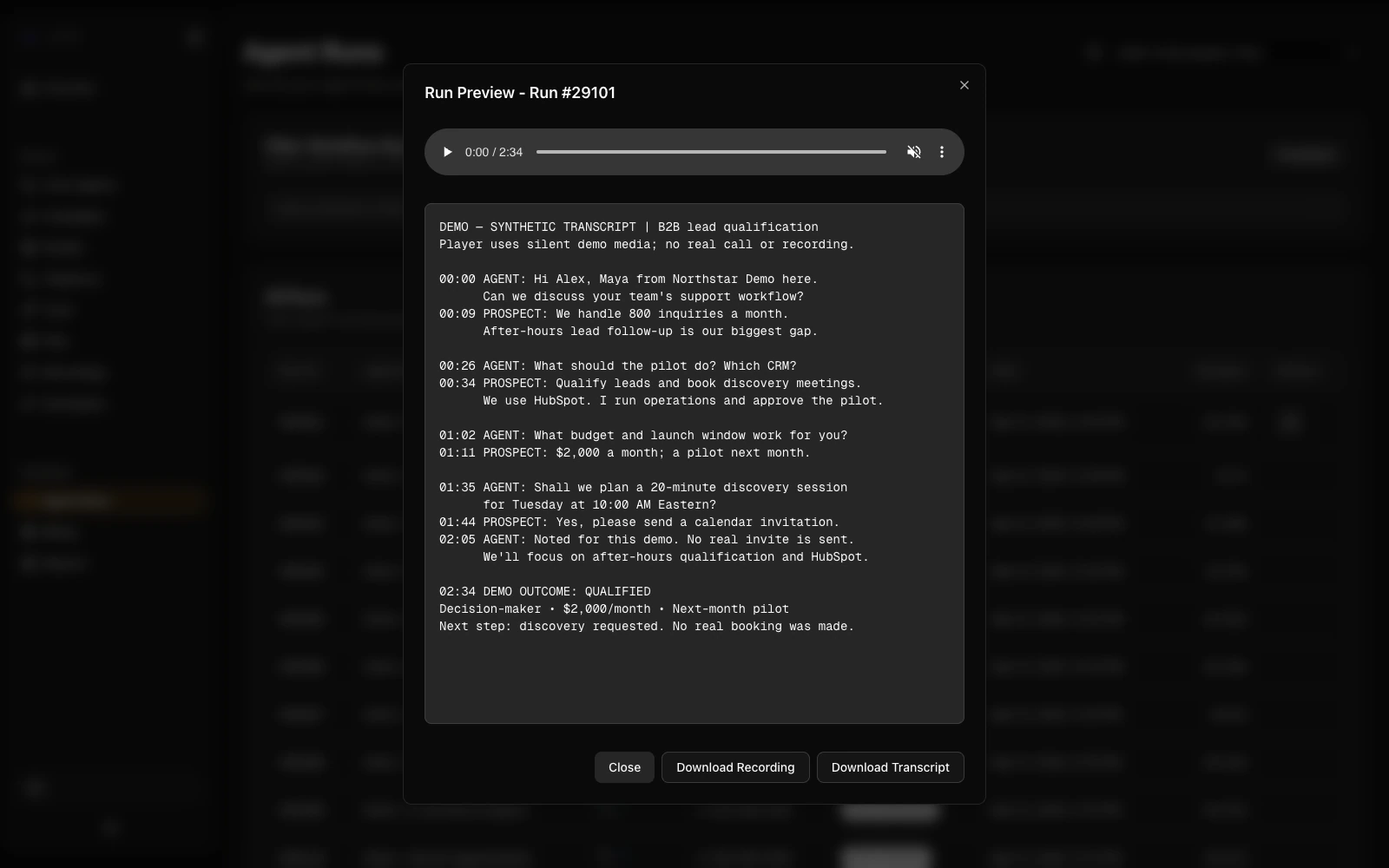
Inspect each agent run: status, duration, events, transcript and recording. Review how a conversation unfolded, check its outcome and find the details your team needs for follow-up.
Move from the overall dashboard to the details of an individual run. Status and duration provide a starting point; the transcript and event history help the team understand what happened and plan follow-up. The player is shown with silent demo audio, not a customer recording. Storage, access and retention are agreed for the deployment.


PROGRAMMATIC ACCESS
What the interface does, your systems can do too: 162 HTTP operations behind the same application — from creating an agent to starting a campaign and pulling a transcript.
Auth: an API key in the X-API-Key header, scoped to an organisation. Base path /api/v1 on your own instance.
curl -X POST https://your-instance.example.com/api/v1/telephony/initiate-call \
-H "X-API-Key: $AGENT_BUILDER_API_KEY" \
-H "Content-Type: application/json" \
-d '{"workflow_id": 42, "phone_number": "+15555550100"}'Create from a definition or template, fetch, update, duplicate.
Create, start, pause, resume, redial, read progress, download the report.
Initiate calls, handle inbound, receive provider callbacks.
Upload, process a document, search it semantically, list, delete.
Upload URL, list, transcribe, delete.
Create, update and test tools; refresh MCP servers.
Members, usage and service keys.
Users and the keys they issue.
The API is part of the deployment you own. It runs on your own server, the keys are yours, and programmatic access is not gated per seat.
Self-hosting Agent Builder gives you control over the application and its infrastructure. It does not automatically keep audio or prompts local: external providers receive the data routed to their APIs. A local-processing setup requires compatible self-hosted speech and language models, suitable compute and a review of every data path, including telephony.
Agree on one scenario, integrations, data boundaries and acceptance criteria. Check telephony compatibility before committing to a deployment plan.
Set up the application on agreed infrastructure, configure models and agent logic, and connect only the integrations included in scope.
Test the implementation against acceptance criteria, document access and operating procedures, and train your team. Support and ongoing changes are agreed separately.
A self-hosted Agent Builder deployment, configured agents and scoped integrations, plus documentation and handover. Infrastructure, provider accounts and operational responsibilities are agreed before implementation.
Recognition, reasoning and voice are separate components, and each can run on your own server. Which specific models we install depends on the languages you need, the response time you are targeting, your call volume and the licence terms that suit your business. We work this out with you before deployment — talk to the team and we will propose a set for your case.
We measure latency on the telephone channel rather than in a dashboard, and we show you the figures before you commit. Running the models next to the application shortens the round trip, but it requires suitable hardware — we agree on that up front instead of after go-live. Some delay is inherent to speech recognition, reasoning and synthesis running in sequence.
Silence thresholds and interruption handling are tuned for your scenario and language using recordings of your own calls. No platform makes this perfect; tuning to your speech patterns is what makes the difference, and we keep adjusting it during validation.
There is no platform margin on each minute. You pay your providers directly with your own keys, plus your infrastructure. We prepare the full cost picture before implementation, including hardware, so the estimate is not just a headline rate.
No. Implementation has a fixed price, and after handover you pay only your own providers and infrastructure. There is no per-minute billing from us and no account you have to ask us to close.
You talk to the team that deployed the system, not a ticket queue. Support scope and response expectations are agreed in the contract; you can also run it entirely with your own team.
You decide when to update. The version running in production does not change under you in the middle of a working day, and updates can be validated on a separate instance first.
Yes. Logs, transcripts and recordings stay on your server with full access, and the ability to review them is not tied to a pricing tier or switched off by a compliance mode.
Integrations are part of the implementation and the code is yours, so a fix does not depend on a vendor's roadmap. Your team can change it, or we can — that is agreed in the support scope.
No. Your data already stays in your environment and reviewing call logs is not taken away. Self-hosting alone does not make a deployment compliant with a particular regime — policies, retention, access control and audit still have to be built and evidenced, and that is part of the work.
On the infrastructure you choose, in the jurisdiction you choose. Nothing is routed through our environment. If a component calls an external API, that specific data path is defined and agreed before deployment.
We first check the provider’s supported connection options, SIP requirements and the CRM’s available APIs. The integration scope follows that assessment; there is no blanket promise that every system will connect unchanged.
You keep your own operator and numbers through supported integrations or SIP, so calls come from numbers your customers recognise. We verify compatibility and routing during connection rather than promising coverage in advance.
Models are selected for your language and validated on your own recordings before launch. Honestly, quality here is a property of the models rather than of hosting — the difference is that you can change the model, which a closed platform does not allow.
That risk comes from language models themselves and self-hosting does not remove it. It is contained by design: a deterministic conversation graph, a narrow scope, explicit handling of unexpected replies and escalation to a person. We test those paths as part of acceptance.
Only when the selected speech and language models can run there and every data path is configured accordingly. External APIs are not local processing, even when the application is self-hosted. We review telephony, storage and retention separately.
If you use external APIs for speech or telephony, their incidents still affect you — self-hosting does not change that. What it does give you is control over the orchestration and the ability to configure your own fallbacks, which we set up during implementation.
More than a demo suggests. The agent itself is the smaller part; error handling, writing results back into your systems and keeping the whole chain inside a conversational response budget is the real effort. That is the work we take on, and we scope it explicitly rather than after the fact.
No. The product screenshots illustrate demonstration scenarios, not real customer calls or performance results.
Tell us about the process, your infrastructure and the systems you want to connect. We’ll define the deployment and integration scope together.